From a €50 Used PC (with a Rebellious BIOS) to a Media Center in One Evening
Yesterday morning I woke up and minimonio was gone. Not in the physical sense: in the sense that it powered on, gave me a dirty look, and dropped me in front of the BIOS screen, refusing to boot Ubuntu. It had crashed during the night, period. The NVMe drive was still there, the BIOS could see it, but the bootloader was nowhere to be found.
I had built a small agent on it that returned system info. Reinstalling everything from scratch turned out to be faster than playing GRUB surgeon in my pajamas before coffee. So last night minimonio restarted from a fresh install of Ubuntu Server, and I thought: since I have to rebuild, let's do it properly.
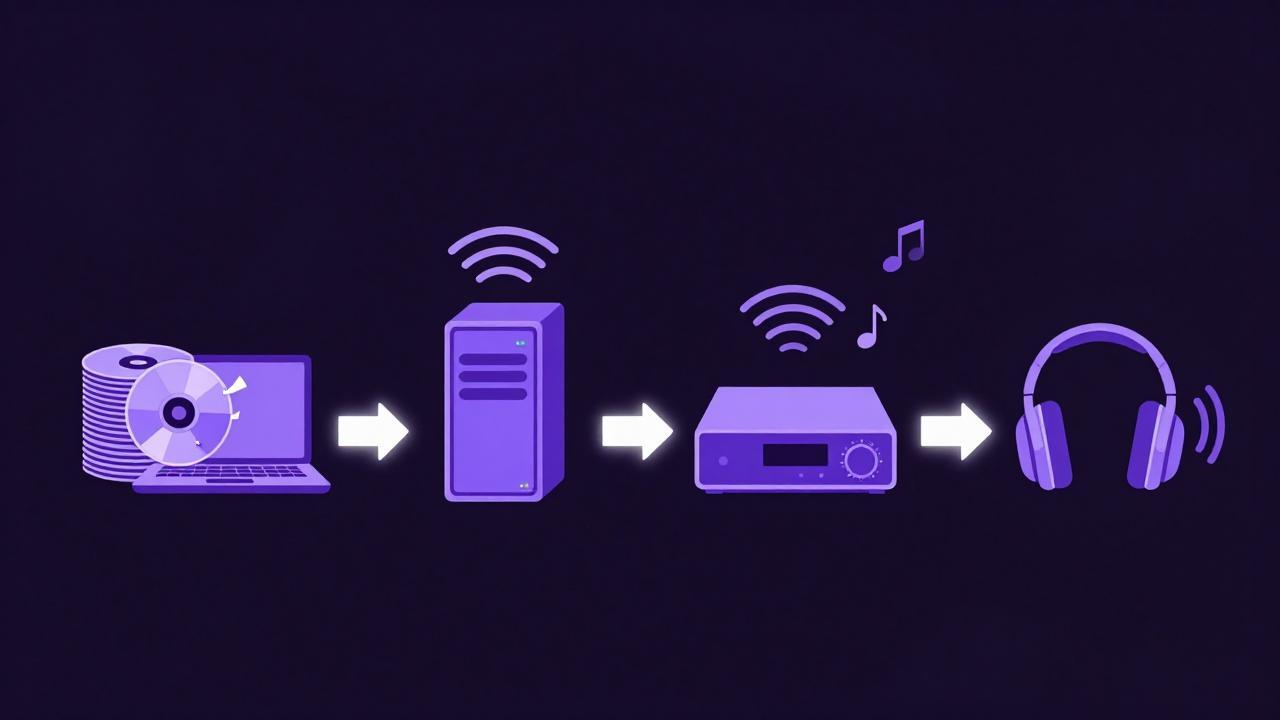
Goal for the evening: turn a mini-PC bought used for 50 euros (Celeron N5095, 7GB of RAM, one TB of disk) into a media server to listen to my ripped CDs — Oasis, Pink Floyd, and so on and so forth — without firing up the laptop every time. Final chain: minimonio → UPnP → WiiM Ultra → Bluetooth headphones.
I went to bed at one in the morning with The Wall in my ears. An honest account of how I got there, mistakes included.
Many mistakes, much fun.

The cast of the home network
minimonio isn't alone: other nodes live in the house.
- tuxedo: my personal laptop, where music syncing starts from.
- geekmonio: the powerful machine, with Ollama for local inference.
- thinkmonio: an old edge node.
Heterogeneous hardware, different roles, and a single conversation with the AI running through all of them. Tonight, though, the star is the €50 Celeron.
The architectural choices
Philosophy: small services, isolated containers, everything that survives reboots. The glue is Docker.
- Navidrome: Subsonic-compatible music server, extremely lightweight.
- Heimdall: dashboard to keep everything one tile away.
- Gerbera: DLNA/UPnP server, to let the server talk to the Smart TV and the WiiM Ultra.
- Samba: for direct file access.
All with restart: unless-stopped, because after a server that dies in its sleep, you don't joke about uptime anymore.
The library comes from tuxedo via rsync over SSH, launched inside tmux — never trust a Wi-Fi connection with a terabyte of music.
The evening, however, didn't go according to plan. The evening went better.
The stumbles: the honest heart of this post
If I had followed a tutorial, everything would have been linear. Instead it was an obstacle course. Which is exactly why I'm writing this post.
The package that doesn't exist
First obstacle, almost immediately: installing Docker Compose.
sudo apt install -y docker.io docker-compose-plugin
Error: Unable to locate package docker-compose-plugin
The suggestion came from the AI, the name was plausible, the terminal was telling the truth: on Ubuntu the package is called docker-compose-v2. First lesson of the evening, and the AI learned it too:
sudo apt install -y docker.io docker-compose-v2
Navidrome in a crash-loop
The container started, died, restarted, died. docker compose ps showed Restarting (1) in a loop, and in the logs always the same message:
level=fatal msg="Database could not be opened!" error="unable to open database file: no such file or directory"
Cause: the host folder mounted as /data either didn't exist or wasn't writable by the user 1000:1000 that Navidrome runs as. Containers aren't magic: a bind mount is just a folder, and permissions are permissions.
mkdir -p ~/docker/navidrome ~/media/music
sudo chown -R 1000:1000 ~/docker/navidrome ~/media/music
docker compose up -d
From then on, Navidrome stopped crying.
Side note for anyone finding themselves in the same mess: with Compose v2 the container name is prefixed by the project folder (lorenzo-navidrome-1, not navidrome), so docker logs navidrome answers with No such container. Either you use the full name, or docker compose logs navidrome.
Gerbera's dancing port
At first launch, Gerbera's web UI had ended up on a semi-random port (49494). It looked stable, but I didn't want to play “guess the port” at every reinstall — and given how the previous night had gone, reinstalls weren't an unlikely event. I changed the port in the config with sed and pinned it there forever. An observation, not documented certainty: I ran into this behavior at first launch, and that alone was enough to convince me to write the port into the config by hand.
Same family of problem, different father: nano reported config.xml as unwritable. The file had been created by the process inside the container, which runs as root:
sudo chown -R 1000:1000 ~/docker/gerbera
Gerbera doesn't even have a default icon in the Heimdall library, so I added the tile by hand. Small things, but they're what makes the difference between “unattended” and “let's go check”.
The bash bug in the sync script
The highlight. The sync_music.sh script got stuck with a cryptic error:
Empty source arg specified.
rsync error: syntax or usage error (code 1) at main.c(1526) [sender=3.2.7]
Culprit: an empty "$DRY_RUN" variable, passing an empty string to rsync as an argument — and rsync interpreted it as a missing source. Fix: turn it into an array, which expands to zero arguments when empty, as God intended.
DRY_RUN=()
[[ "${1:-}" == "-n" ]] && DRY_RUN=(--dry-run)
# ...
rsync "${RSYNC_OPTS[@]}" "${DRY_RUN[@]}" "$SRC" ...
Second round, right after:
./sync_music.sh: line 47: DRY_RUN: unbound variable
With set -u active, the test [[ -n "$DRY_RUN" ]] uses the scalar form of the array which, when empty, counts as unbound. The length had to be tested instead:
[[ ${#DRY_RUN[@]} -gt 0 ]]
Bash has a sneaky type system. I applied the same two corrected lines with sed, because at that hour of the night rewriting by hand was asking too much.
“Pink Floid” and the ghost album
During the sync I discovered that a folder christened “Pink Floid” — original typo, years of honorable service — lives on two machines and only got fixed on one. And the ghost album: “The Division Bell” exists only on the server.
Neither is a bug. It's the logical consequence of an rsync without --delete: it copies new files but never deletes anything, so it's not a mirror. In the final version of the script --delete is there, but that night it wasn't — and the ghost “Be Here Now” is living proof. Double moral: if you want a true mirror, tell rsync so; and for music, ID3 tags are what count, not folder names.
The false errors
Bonus of the evening, the errors that weren't errors:
- Navidrome answered
HTTP 302: a redirect to the login page, which is the correct response fromcurlwithout a session. docker psshowed no ports for Gerbera: normal withnetwork_mode: host, the container uses the machine's interfaces directly.- A
WARNabout the obsoleteversion:line in the compose file: just a warning, modern compose files don't need it anymore.
Learning to tell a real error from an apparent one is half the craft.
The moment of glory
Final test: full server reboot. A simulated blackout, so to speak. Ritual-grade checklist with docker ps and curl:
- Navidrome:
Up, HTTP 302 (redirect to login, all in order). - Heimdall:
Up, HTTP 200. - Gerbera:
Up, HTTP 200.
Three containers up, three healthy responses. Fully unattended: blackouts, reboots, updates — after the night of the BIOS, I've earned this minimum of dignity.
At one in the morning I was in bed with The Wall in my headphones, via WiiM, without the laptop ever having been switched on. The €50 Celeron had earned it.
Reflections on working with the AI
The evening was an experiment in pair-sysadmining: the AI proposed, I executed, the terminal arbitrated. When the AI suggested a wrong package name, the terminal exposed it in a second. The AI's mistakes aren't a problem if the feedback loop is tight.
There's a difference between a tutorial and a real session: the tutorial shows the ideal path, the real session is an obstacle course. Both teach you something, but only the second one teaches you how to diagnose. And diagnosing — asking yourself “does it change across reboots?”, telling a 302 from a 500, understanding why an empty variable explodes — is the part that stays with you.
Good music, and goodnight from here too.
Transparency note: the AI in the “pair-sysadmining” told above is called Lumo, and it's Proton's assistant — the same folks behind encrypted email. I'm liking it: besides giving me wrong suggestions about package names (and taking them bounced back from the terminal with good sportsmanship), it has a newly released canvas feature that turned writing this post into a side-by-side job — notes, drafts, and live revisions, while the music kept playing from the containers. If you want to try it, here's my referral link, and if you made it all the way down here reading, you also deserve the 10-euro discount that comes with my link.
docker-compose.yml
services:
  navidrome:
    image: deluan/navidrome:latest
    user: 1000:1000
    ports:
      - "4533:4533"
    volumes:
      - /home/lorenzo/media/music:/music
      - /home/lorenzo/docker/navidrome:/data
    environment:
      - ND_LOGLEVEL=info
      - ND_SCANSCHEDULE=1h
      - ND_SESSIONTIMEOUT=168h
    restart: unless-stopped

  heimdall:
    image: linuxserver/heimdall
    ports:
      - "8080:80"
    volumes:
      - /home/lorenzo/docker/heimdall:/config
    restart: unless-stopped

  gerbera:
    image: gerbera/gerbera
    container_name: gerbera
    network_mode: host
    volumes:
      - /home/lorenzo/media/music:/content:ro
      - /home/lorenzo/docker/gerbera/config:/var/run/gerbera
    restart: unless-stopped
sync_music.sh
#!/bin/bash
# sync_music.sh — Sync music from Tuxedo to Minimonio (one-way, rsync via SSH)
# Usage: ./sync_music.sh [-n]
#   -n : dry-run (shows what it would do without copying anything)

set -euo pipefail

# ---------- CONFIGURATION ----------
SRC="/home/lorenzo/Musica/"          # Source folder on Tuxedo (NOTE the trailing slash!)
DST_USER="lorenzo"
DST_HOST="192.168.1.201"             # minimonio's IP
DST_PATH="media/music/"              # Destination, relative to home on minimonio
LOG_DIR="$HOME/logs"
LOG_FILE="$LOG_DIR/sync_music_$(date +%Y%m%d_%H%M%S).log"
KEEP_LOGS=10                          # Number of old logs to keep
LOCKFILE="/tmp/sync_music.lock"
# ------------------------------------

DRY_RUN=()
[[ "${1:-}" == "-n" ]] && DRY_RUN=(--dry-run)

# --- Duplicate-run protection ---
if [[ -f "$LOCKFILE" ]] && kill -0 "$(cat "$LOCKFILE")" 2>/dev/null; then
    echo "❌ Another sync is already running (PID $(cat "$LOCKFILE")). Exiting."
    exit 1
fi
echo $$ > "$LOCKFILE"
trap 'rm -f "$LOCKFILE"' EXIT

mkdir -p "$LOG_DIR"

# --- Source check ---
if [[ ! -d "$SRC" ]]; then
    echo "❌ Source folder $SRC not found. Edit SRC in the script."
    exit 1
fi

MP3_COUNT=$(find "$SRC" -type f \( -iname '*.mp3' -o -iname '*.flac' -o -iname '*.m4a' \) | wc -l)
if [[ "$MP3_COUNT" -eq 0 ]]; then
    echo "⚠️  No music files found in $SRC — checking before continuing."
    read -rp "Proceed anyway? [y/N] " ans
    [[ "$ans" == "y" ]] || exit 0
fi

echo "🎵 Music sync: $SRC -> $DST_USER@$DST_HOST:$DST_PATH"
echo "   Music files in source: $MP3_COUNT"
[[ ${#DRY_RUN[@]} -gt 0 ]] && echo "   (DRY-RUN: no files will actually be copied)"
echo ""

# --- Reachability ---
if ! ping -c1 -W2 "$DST_HOST" > /dev/null 2>&1; then
    echo "❌ $DST_HOST unreachable. Check the network."
    exit 1
fi

# --- Synchronization ---
#  -a  preserves permissions, dates, structure
#  -v  verbose
#  -h  human-readable sizes
#  --delete  deletes on destination what was removed from source (true mirror)
#  --info=progress2  overall progress bar
#  --exclude  skips temporary and hidden files
RSYNC_OPTS=(-avh --info=progress2 --stats
            --exclude='.*' --exclude='Thumbs.db' --exclude='desktop.ini'
            --exclude='*.tmp')

echo "   Note: mirroring ACTIVE (--delete). Comment it out to keep removed files."
echo ""

rsync "${RSYNC_OPTS[@]}" "${DRY_RUN[@]}" "$SRC" "$DST_USER@$DST_HOST:$DST_PATH" 2>&1 | tee "$LOG_FILE"

# --- Old log cleanup ---
ls -1t "$LOG_DIR"/sync_music_*.log 2>/dev/null | tail -n +"$((KEEP_LOGS + 1))" | xargs -r rm --

echo ""
echo "✅ Sync completed. Log: $LOG_FILE"

# --- Tip ---
if [[ ${#DRY_RUN[@]} -eq 0 ]]; then
    echo "ℹ️  Navidrome re-scans the library within 1 hour (ND_SCANSCHEDULE=1h)."
    echo "   To force the scan now: open http://$DST_HOST:4533 and go to ⚙ → Scan Library."
fi
“Free technology isn't just code — it's the freedom to look under the hood.”
👤 Lorenzo | ItsMeLarry 🧪 AI & Open Source Experiments | 🕹️ Retro Gaming & Graphic Novels 🎸 Rock, Folk, Jazz, Punk | 🔒 Privacy First 📍 Tuscany / Digital