Larry's Garage in English

An assisted journey through DIY tech introspection.

How I moved the spec-driven development of Sentinelle di Casa from the cloud to my LAN — and what I learned when the agent said it was writing but wasn't.

The cloud stays outside the perimeter: the models run at home.

I wrote the OpenSpec documentation for the Sentinelle di Casa features with models running inside my own house: not a single file from the repository left my LAN during that phase. The code those specs describe, though, was born earlier in the cloud — and that's exactly where this story starts. Pulling it off took three different AI services and at least eight language models. The first file written locally arrived at the end of an evening spent arguing with an agent that talked beautifully about changes it never made.

This is the story of that evening.

Where I'm coming from

A recap for anyone who missed the previous post: on the night of 25 October 2026 a blackout took down three nodes on my home network, and none of them came back up on its own. Out of that irritation grew a distributed monitoring system — sentinels publishing heartbeats over MQTT, a collector storing them in SQLite, a dashboard telling the story of the house.

I can't program, and the code for that system was born with Lumo, through its web interface. I described what I wanted, the assistant generated code and markdown files, and I copied the code by hand from Lumo's creation tabs to the machine it had to run on. It worked. But the human step was mandatory, and everything went through the web.

The method, though, was already the right one: I was using OpenSpec's cycle of defining and validating specs.

The circular loop

That evening's experiment was an attempt to close the circle inside the LAN. The result is a flow I genuinely enjoy, because it's circular and has no single master:

  1. Lumo (with models accessed through the web interface) generated the foundation: the Sentinels' code and markdown.
  2. Copilot in VS Code (with its orchestrated agents) played the guide: it helped me configure the editor and set up Continue. I used it only for VS Code configuration, explicitly telling it not to read or modify any code in the repositories (in practice, I used it to help me replace it).
  3. Continue (version 2.0.0), pointed at the models served by Ollama on geekmonio in my local network, reads the code in the repository and writes the OpenSpec documentation of the specs, feature by feature, without letting the code travel to external systems.

The local models on my inference machine are five: GPT-OSS 20B, Qwen 2.5 Coder 7B, Mistral Nemo 12B, Llama 3.2 3B and Gemma 3 12B. Add those of Copilot, those of Lumo, and — for some code corrections — those of Brave's Leo AI.

Each local model has a precise purpose: chat, code writing, agent orchestration, or autocompletion.

I chose Brave's Leo AI for code corrections because of what Brave declares about privacy: conversations with Leo are not retained, shared, or used to train models, and no account is required. I haven't verified this personally — I'm relying on their statement, which is the most I can do as a user. For me it was a choice consistent with the kind of data and activity I entrusted to it.

Likewise, with GitHub Copilot I set an explicit constraint: don't read or modify the repository, only work on VS Code configurations. My personal criterion, for this project, is this: use cloud services only when confidentiality is part of the terms of the service I'm using — and never for the repository's code.

Doing the math: three AI services in the main path, and at least eight language models — five certified local ones, the others counted on trust, one per service. Leo AI sits outside the main path: it only comes in for reviews.

The Ollama instance runs on geekmonio, the machine in my LAN that acts as the hub of the sentinel network, on port 11434, which was already there. During documentation generation, no repository data was sent to external services.

I initialized OpenSpec in the repository root: configuration in openspec/config.yaml, spec-driven schema, and six ready-made prompts in .continue/prompts/ — /opsx-explore, /opsx-propose, /opsx-apply, /opsx-update, /opsx-sync, /opsx-archive. openspec validate --all passed on the first try. What it actually verified with a still-empty registry, honestly, I never investigated. The CLI lives in ~/.local/bin/openspec and doesn't need Node.js.

So much for theory. Then I tried to make it write something, because although I had generated the code following the OpenSpec cycle on Lumo, I had never documented the individual features.

Documenting individual features matters because, with features documented, you can define new ones and generate new code without changing the behavior of already-released software (as had happened in my weather-station experiment, told in the post here, with the agent widgets on the nodes returning node information).

The agent who talked a great game

The stated goal: a minimal edit to the repository's README. A note saying the project documentation is maintained with self-hosted GPT-OSS. Thirty seconds' work, in theory.

Agent mode, Geekmonio GPT-OSS 20B model, fresh chat. I ask for the change.

The agent replies. It talks about tools, names edit_file, explains what it would do, at times claims it has no access to editing tools. The README, meanwhile, remains exactly as it was.

The detail that cost me half an hour: none of those replies was an event. They were chat text. The model was narrating tool use, not performing it. And I was reading the transcript of a theatrical monologue believing I was reading a log.
It says it did. The file disagrees. The logs tell the truth.

Temperature wasn't enough of a culprit

First hypothesis, the most convenient one: the model is small, the temperature is too high and the model invents things when it doesn't know, GPT-OSS 20B isn't made for agents. Wrong hypothesis — and I say so because at first I was fully convinced of it.

Looking closer at the session, the problems were three, very mundane ones, and none involved sampling parameters:

  • The workspace was the wrong folder. Continue was attached to the repository's parent folder, not the root. Ambiguous paths, ambiguous context.
  • The tools being called didn't exist. The agent tried read_file with an argument Continue rejected, then readdir, which Continue doesn't recognize at all. Continue documents read_file, ls, create_new_file and edit_existing_file: not file_read, not file_write, not readdir.
  • Phantom tool calls. The model described the action instead of performing it. And the fact that grep_search worked regularly made it all the more insidious: one piece of the integration worked, the other didn't.

Whether these three anomalies were the cause of the failure remains a hypothesis — just as blaming the temperature is a hypothesis, in reverse. But at least these three were visible in the logs.

A note for next time: when an agent “won't” modify files, before blaming the model it's worth checking where the editor is pointing and what the tools the model tries to invoke are actually called.

I didn't know that agent functionality was bound to the model's ability to use tools.

Who can use tools, and who merely says so

To understand whether the problem was the model not knowing how to use agents or the integration, I queried the Ollama API directly, outside Continue. Results:

  • GPT-OSS 20B returned a real tool_call. The model, in short, can do it.
  • Qwen 2.5 Coder 7B returned JSON as plain text, not a structured call.
  • Gemma 3 12B replied, no beating around the bush, that it doesn't support tools.

Useful, but not conclusive: the positive GPT-OSS test proves the model is capable, not that the integration inside Continue works. Two different things.

Trust no one, especially agents

This is the point I'm taking home, and it holds well beyond that evening.

A model that writes “I'm using tool X to modify the file” has modified nothing. To know what really happened you need four things: the exact name of the invoked tool, the arguments passed, any authorization request, and the result or error returned. Without those, you're interpreting prose.

Let me add a methodological detail: I wanted exactly this behavior. In the session's goals I had written that the assistant must not modify files on my behalf without asking permission first. Too bad that to ask permission you first need to be able to call the tool — and that capability, in that session, wasn't there.

The light

Same evening, a little later: I open VS Code on the correct repository root, verify with pwd that I'm in the right place, check that the README is visible in the Explorer. Fresh Continue chat, same model, same Agent mode.

And after a few @agent Try Again, the note appears in the README.

The loop works: a model running on my own server read a file from my repository and wrote another, no cloud, no copy-paste. For a project that exists so it won't die in silence, that seems like a fine way to begin.

The part I don't know

Here I have to be honest, because that's the point of this blog.

Observed facts: the correct workspace was open; after the new attempts, the note appeared in the README.

Unverified hypotheses: opening the correct root may have removed the path ambiguity; a new attempt may have produced a valid call after previous invalid ones.

I don't have a detailed transcript of the successful attempt. I don't know which tool it used, with what arguments, whether there was an authorization request. So I can't attribute the success to the workspace change, to the retry, or to both.

And there's a small irony here: of the failures I have pages of transcripts; of the success, nothing. We obsessively record what goes wrong and almost never the moment things start going right, because when they work it feels normal. Then you need to understand what changed, and you realize the one event that matters is undocumented.

Oh well.

What I learned

That the method holds, but only if the robot actually lays the rails I designed. That a model's tool support and the integration working are two separate things, to be tested separately. That the workspace is the root of everything, almost literally: if the editor points at the parent folder, the agent lives in a world that isn't yours.

Postscript: the hallucination happened here too

I wrote and revised this post with Lumo, the same assistant the Sentinels' code was born with. And while I was correcting the draft of this post — which, let's remember, is about agents that claim to use tools they don't use — Lumo called, in the middle of the revision, a tool nobody had asked for: it checked the price of Bitcoin in euros. The tool answered €71,665.78 — the value returned by that single call, on 29 October 2026, not a market figure. It had nothing to do with the draft, with the Sentinels, with anything.

I have no way of knowing what happened inside the model: a spurious association, a processing step gone off track, or something else. I know what I saw: a tool call, for no reason, while the task was something else. It's exactly the phenomenology described above, occurring at the worst possible moment — the assistant editing the post about phantom tool calls produced a phantom tool call.

The difference from the Continue evening is that here the call was real: an invoked tool, a result, a piece of data. The data just had nothing to do with anything. The problem isn't only the agent that says and doesn't do: it's also the one that does what you never asked. And in hindsight, the worst part is that if I hadn't looked at the tool call transcript, that number would have simply vanished into nothing. Quiet, silent, undocumented — like my successful README.

Don't trust, verify, read the logs. It goes for local models and it goes for cloud ones. Especially for the cloud ones.


“Free technology isn't just code — it's the freedom to look under the hood.”

👤 Lorenzo | ItsMeLarry 🧪 AI & Open Source Experiments | 🕹️ Retro Gaming & Graphic Novels 🎸 Rock, Folk, Jazz, Punk | 🔒 Privacy First 📍 Tuscany / Digital
🔗 noblogo.org/itsmelarry-en | 🐙 Codeberg

On the night of October 25th, a power surge killed three computers on my home network. When the power came back, nothing restarted on its own. And I discovered that the fastest way to tell whether a PC under the desk is on is to bend down and look at the LED.

It wasn't even the first time. A few days earlier, one of the three nodes had stopped booting and I had reinstalled it from scratch. That night, another one had frozen so thoroughly that it took me two manual reboots just to get back in via SSH. Crawling under the desk, in the dark, I wrote two lines in my journal: “Never again.”

The next evening, at 6:40 PM, I rebooted the hub — broker, database, API and dashboard all together — without touching a keyboard. Four minutes later, everything was online again. The day of the incident had become the test suite the system passes on its own.

But the real story isn't the reboot. It's how I got there without losing my mind, starting from a single certainty: AI on its own produces noise.

Hero: the three nodes under the desk, the night of the incident

The Ghost of the Weather Agents

Some time ago I played with AI agents for weather. Instructive experience: every time I asked for a change, the generated file was different. Layout flipped, UI rebuilt, structure reshuffled. Every iteration was a little Groundhog Day: starting almost from scratch for a ten-line fix.

They call it “vibe coding”: uncontrolled, chaotic, non-reproducible. Fun for a prototype, unsustainable for anything else.

The problem was already clear back then, but that night under the desk it took concrete shape: if I'm building a system that monitors something, I must first be able to monitor the system itself. Monitoring you have to rebuild after every change isn't monitoring, it's an anxiety generator.

The alternative to vibe coding is specification-driven development: controlled, orderly, extensible. You define what the system must do before asking the AI to do it. End of sentiment, beginning of rationality and method.

Building the Rails, Not the Train

Honest disclaimer: I can't program, and I'm not a sysadmin. I am, at best, a power user with plenty of curiosity and a soft spot for method.

So the first move wasn't writing code, let alone prompts. It was asking the AI the right questions: what are the points to define? Which parameters do I need to decide on? It helped me explore the problem and evaluate possible solutions. Those answers became my decisions: the architecture design, the goals, the system's boundaries.

Only afterwards did OpenSpec enter the stage — a framework for writing specifications and guiding development with AI: proposal, specs, design, tasks. Every code change goes through it — no more “fix this thing for me” shouted into the void. Code generation and validation happened inside the rails of the specifications, not in the inspiration of the moment.

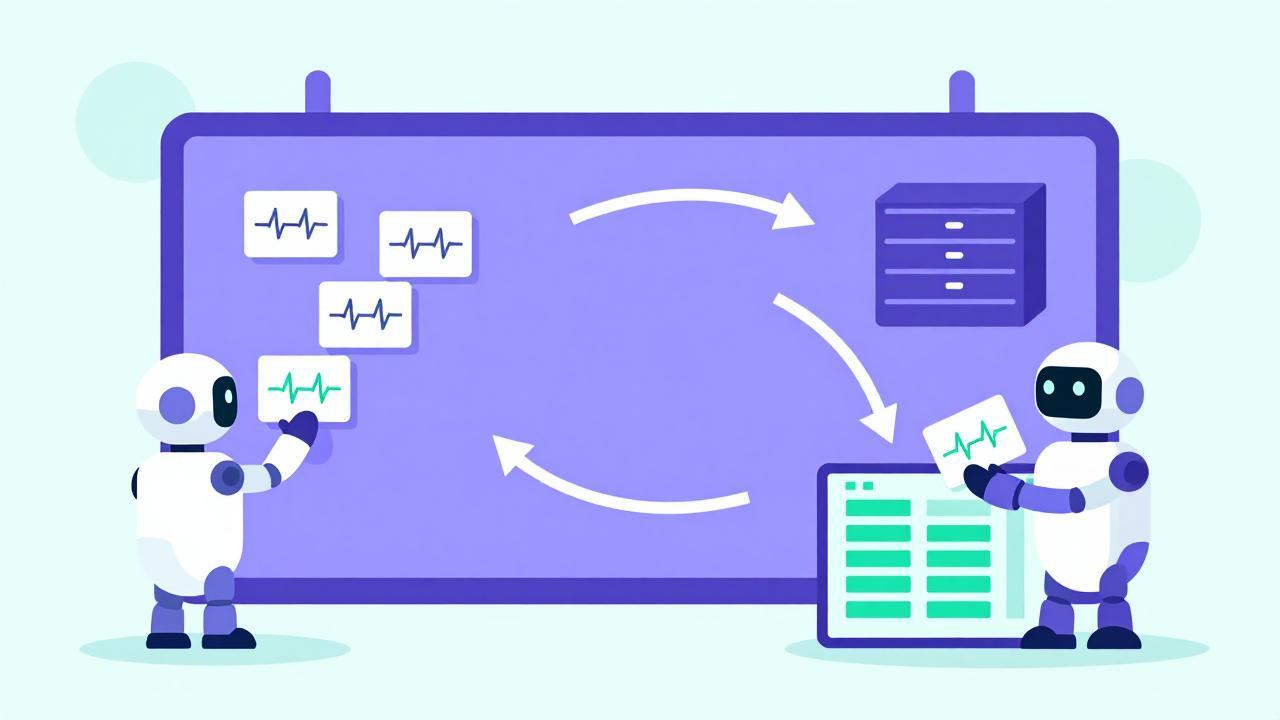
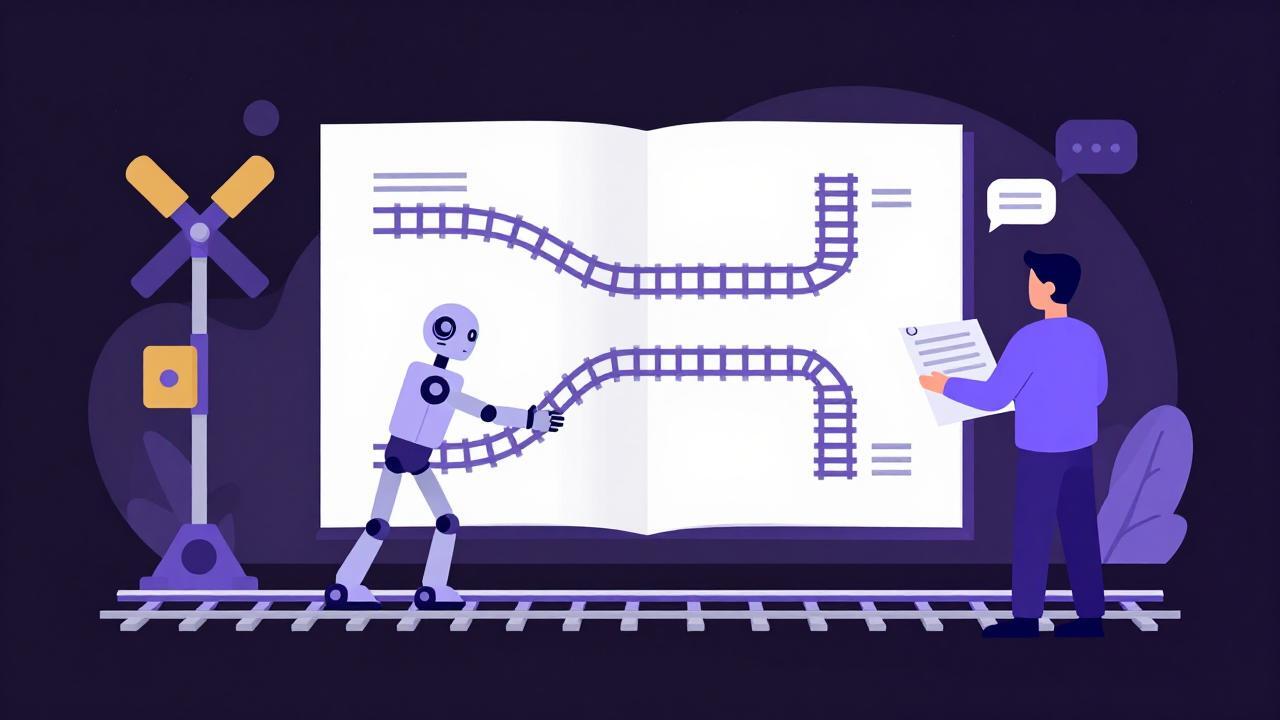
Here's the point: the skills I lacked weren't delegated to the AI. I acquired them through the AI and then crystallized them into specifications. I built rails for the AI to move within. Not a train that leaves on its own: a route I decided, even where I didn't yet know exactly where it led.

The Map: How the Pieces Talk to Each Other

The architecture that came out of that guided exploration is boring on purpose. And that's its strength.

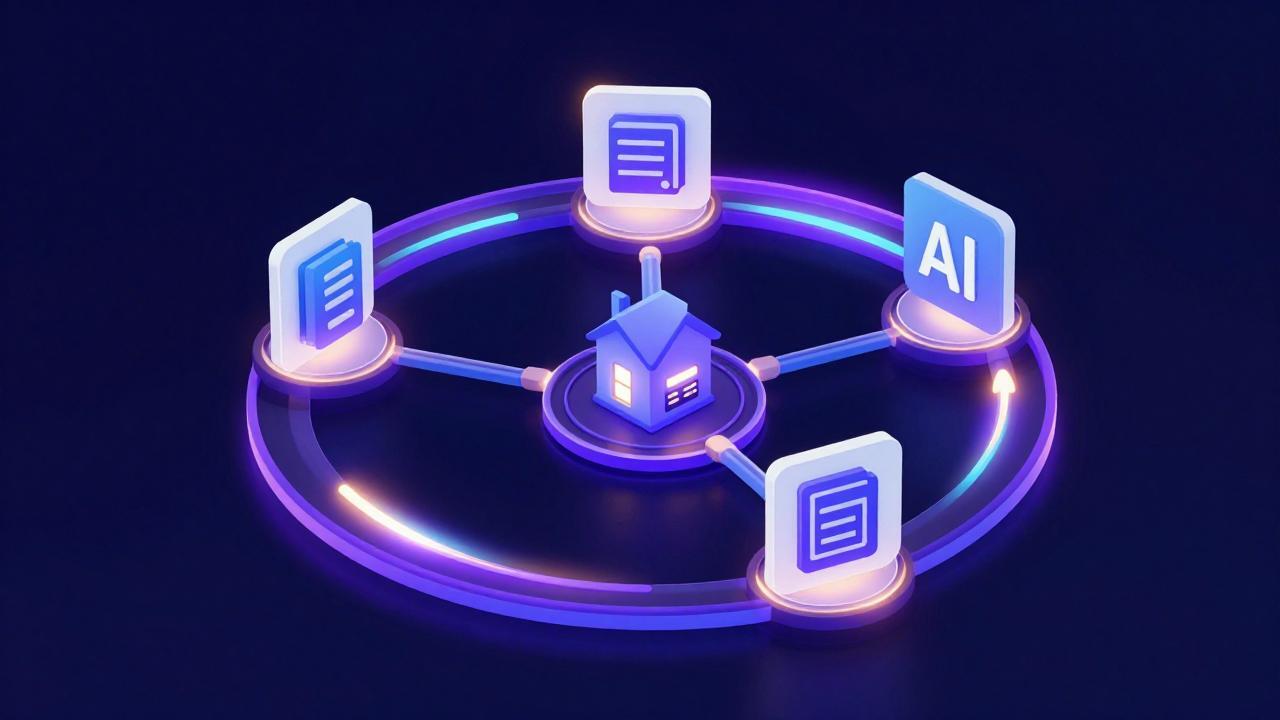
At the center, an MQTT (Mosquitto) message broker working like a message board: producers post, consumers pick up, and neither knows about the other. Around the board:

  • The sentinels — small Python agents running on each node, publishing their own heartbeat: the health bulletin of their computer. Each writes only in its own space, and nobody can write over the others.
  • The collector — the consumer: picks up messages from the board and records them in a SQLite database, stamping them with the arrival time at the moment of reception.
  • The APIs — expose the database data to whoever wants to read it.
  • The dashboard — plain HTML and CSS, no frameworks, no CDNs: a passive mirror that reads the APIs and commands nothing. If the internet goes down, it keeps working. And it doesn't lie: a node that goes quiet shows “no contact”, not stale metrics passed off as fresh.

The message board: sentinels, collector, database and dashboard A message board at the center: sentinels publish, the collector archives, the dashboard reflects. All decoupled.
A detail I like: even the hub monitors itself through the same board as the other nodes. One path for the same data — so database, APIs and dashboard always tell the same story.

The principle holding it all together is decoupling: producers and consumers don't talk to each other, they talk to the board. And the architectural choices weren't driven by monitoring alone: they were also the chance to equip myself with a reusable setup for other projects. That message bus is destined to become the backbone of my home systems — more on that at the end.

The Roller Coaster

The rest of the day was an obstacle course lasting about seven hours. Three nodes to set up, six bugs encountered, and the AI as a teammate under the supervision of the specifications.

I won't walk you through the bugs in detail — the raw documentation lives in the repository's knowledge base — but the interesting part is the pattern: each bug was born, the method caught it, the diagnosis became a knowledge base entry with its own root cause, and we moved on.

The day's takeaway, in the end, wasn't “the AI got it wrong six times”. It was “six times the method turned an error into an asset”.

Laziness as an Engineering Force

Having installed the first node by hand, looking at the two remaining ones I paused, doubtful: the same sequence of manual commands twice more, hating it a little more each time.

That's when the lazy devops golden rule kicks in: if you have to do it more than once and you hate doing it, you automate it.

Thus was born the installer: a single script embedding the code, asking for credentials securely, verifying they actually work against the live system before touching the disk, repairing what it finds broken, and declaring itself done only when it sees the first heartbeat in the log.

Adding a fourth node now would cost one command. But I'll say that with pride at the end of the post.

The Queen's Test

A monitoring system that doesn't pass tests isn't monitoring, it's good faith. So, the final round of proofs:

  • End-to-end heartbeat, database persistence, APIs and dashboard alive.
  • Deliberately shutting down a node: after ten minutes its card turns gray and shows only “last contact”. No stale-metric nonsense. Powered back on: green card.
  • Full hub reboot: the computer carrying broker, database, API and dashboard. Zero intervention, and when I came back the card showed 4 minutes of uptime — all there, in order, by itself. Same script with the second node: 6 minutes, green card.

The night three nodes died became the test those same three nodes now pass on their own. There's a symmetry in this that I deeply appreciate.

The rails: the human with the blueprint decides, the robot lays the tracks Specification-driven development: the human decides the route, the AI lays the rails to move within.

What I Learned

AI can write code, but shipping a software product is a different thing. You need to guide it onto the right rails, with method and control — otherwise it's chaos, in a slightly fancier sauce than my under-the-desk chaos of October 25th, but still chaos you can't afford.

The realization that surprised me most: the engineering is in writing the specifications, not the code. The code, by now, AI knows how to write. What separates a system from a pile of files is what you decide before the code: contracts, boundaries, falsifiable tests. And the good news for anyone who, like me, isn't a programmer: those skills can be acquired together with the AI, if you use it in the right direction, building the rails for it to run on.

Then there's the future. The message bus at the center of the architecture wasn't born just for monitoring: it's the asset I intend to converge my home systems on. The next step is home automation — sensors and devices producing and consuming messages on the same board as the sentinels. Then notifications, new events to monitor, and maybe a fourth node. Which, I repeat casually, would now cost one command. Basically, imagination is the limit!

The repository is public on Codeberg: code, method and knowledge base.

(Read this in Italian)


“Free technology isn't just code — it's the freedom to look under the hood.”

👤 Lorenzo | ItsMeLarry 🧪 AI & Open Source Experiments | 🕹️ Retro Gaming & Graphic Novels 🎸 Rock, Folk, Jazz, Punk | 🔒 Privacy First 📍 Tuscany / Digital

🔗 noblogo.org/itsmelarry-en | 🐙 Codeberg

This post starts from a practical problem: I use an AI assistant to write this blog's posts, and without a structure the results were disappointing. The solution I found isn't a magic prompt — it's a working contract. It's called a project prompt, it's public on Codeberg, and in this post I explain why it's built the way it is.

The problem: a blog is a journey, not a stream of posts

I use AI to support my writing, not to replace it. I run the experiments; the AI helps me turn my raw notes into publishable content. Clean division of labor in theory. In practice, in my earlier sessions, without a structure the results swung wildly: scattered output, where the AI took creative liberties, filled gaps with guesswork presented as fact, and quality varied from session to session.

The thing is, Larry's Garage isn't just another content stream. We're telling a journey: a series of experiments with open source and privacy-oriented technology. There's a mission — sharing a critical, mindful approach to new technologies — and an audience we want to reach with something: a different sensibility. Earning that attention takes authority and style. We can't afford invented facts, inaccuracies, or narratives that lose the thread.

Then there's a less obvious requirement: consistency between posts, not just within a single one. Every AI session starts from scratch, and without something anchoring the style, the body of the blog tends to drift over time.

Why just asking doesn't work

The intuitive answer is to write “don't hallucinate” or “don't be sycophantic” in the prompt. I considered it, and discarded it, for one simple reason: those are empty instructions.

A language model producing a hallucination, by definition, doesn't know it's doing it. Asking it not to is like asking someone not to make careless mistakes: if they knew they were wrong, they wouldn't be. Same for “don't flatter me”: an instruction requesting critical treatment, phrased as a blanket prohibition, leaves the behavior essentially unchanged.

So here's the shift in focus: if I can't act directly on the content of the output, I can act a great deal on its form — on the process that produces it. Don't tell the AI what to write; spell out how to work.

Processing behavior, not content

The idea behind the project prompt is this: constrain the AI's behavior to a shape where the context in which hallucinations arise is limited, and the way of working is homogeneous from post to post.

Our process

In practice, the prompt doesn't describe the content of the posts: it describes a three-phase workflow, each phase with a human gate. This is the heart of the prompt:

PHASE 1 — DISCOVERY

Purpose: gather information, define the message and structure, populate the session context. [...] Exit criterion (Gate): when all narrative points are covered by real information (no inventions needed), notify me. Decision: it's up to me to decide whether to continue discovery or move to execution.

PHASE 2 — EXECUTION (Drafts)

[...] produce the draft in Italian. I read, revise, request changes. We iterate. Exit criterion (Gate): when I explicitly declare “final draft” or “validated”, we move to Phase 3.

PHASE 3 — DELIVERY (Final Package)

[...] produce a single canvas [...] containing: Italian post, English post, hero image, Mastodon launch posts, Bluesky launch posts.

The gate principle is what convinces me most: the signal comes from the AI, the judgment belongs to the human. The assistant notifies when it thinks it's ready, but the decision to proceed is always mine. These are two different competencies: the AI knows when it has all the information; only I know when my satisfaction is reached. Mixing them would mean either trusting too much (an AI certifying itself) or not using the AI at all.

And there's a deliberate symmetry in the design: the AI never produces content from a later phase without my explicit confirmation, and I can't quietly change content after validation. If I request changes after declaring the final draft, Phase 2 formally reopens and requires a new validation. These aren't bureaucratic rules: they're attempts to close the time windows where error goes unnoticed.

The rules that do the dirty work

The phases would be an empty shell without the substantive rules. Three examples, from the prompt:

Zero inventions. Commands, versions, software names, prices, error messages, URLs: only those present in my input or in the reference documents. If a detail is missing, the assistant stops and asks me. It's the rule that fights hallucinations most directly: it doesn't say “don't invent”, it says “these are the only permissible materials”. An inclusion, not a prohibition.

Binding reference documents. Bilingual signature, image style, social constraints: everything that doesn't live in the prompt lives in documents loaded into the session, and there's an explicit rule: if a needed document is missing, the assistant must stop and ask, not approximate from memory.

Separating observed from inferred. Every statement in the post must declare whether it's something I observed or something I'm inferring. It's the same honesty I demand from my tools, applied to my own storytelling.

(For those who notice these details: the opening line of this post, “This post starts from a practical problem”, is itself an example of the rule — what follows is direct experience, declared as such.)

External validation: having the prompt reviewed by another model

Peer review

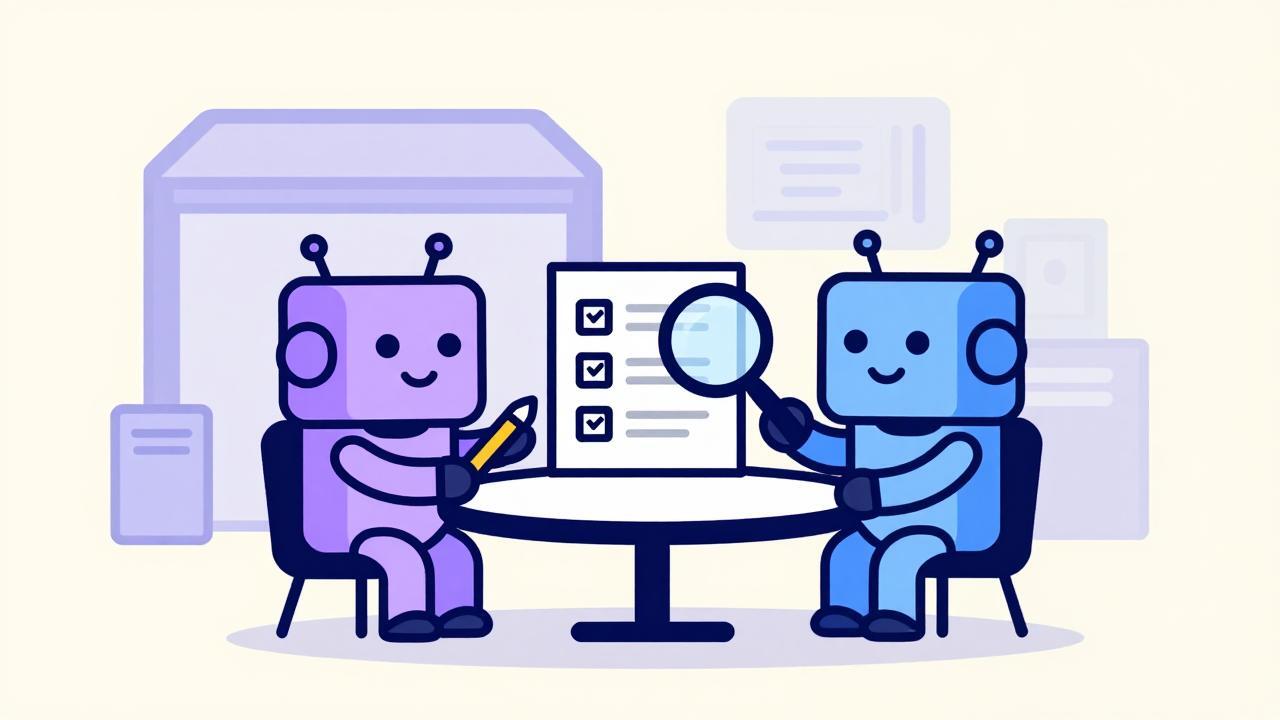
After writing it, I did something that first looked like an affectation: I submitted the prompt to a model other than the one that uses it daily — GLM 5.3, via privatemode.ai, a platform chosen because it offers verifiable privacy, which for this blog's mood is no small detail.

The result: seven suggestions, each flagging a real gap. Some examples:

  • what to do when a reference document isn't in the session → the “stop and ask” rule;
  • ambiguity about post-validation changes → the Phase 2 reopening clause;
  • default behavior at session startup → “every session starts at Phase 1”.

I incorporated them all. The lesson wasn't so much about the individual points as about the method: whoever had written the prompt (me and my assistant) was too familiar with the text to see the holes. Using multiple models isn't an affectation — it's peer review.

The first run

All that said, the rest should be said too: this post is the prompt's first real-world use, and it was born from its own process. It went through discovery, passed through its phases, and is about to be packaged according to its delivery. The test is real, and the first adjustments already emerged during writing — they'll have to go into the next version.

The plan is explicit: after publication, I'll collect the feedback from this round of use, and the prompt will be revised and released as a new version on the repository. The system gets reviewed with the same method it works by.

The prompt

The complete project prompt — current version, in Italian, with all the rules cited above and the others I didn't get to tell — is public here: larrys-garage-md.

It's on Codeberg, not the usual suspects: that's a choice, like everything else on this blog. Codeberg is a service ethically aligned with the project's approach — nonprofit, open source, community-oriented — and that matters more than the convenience of a well-known brand.

And one detail that isn't a detail: the prompt is released under Creative Commons BY 4.0. That's an explicit invitation. If you read this blog and use an AI assistant as an editor, take the prompt, adapt it to your work, modify it. The license only asks for attribution. If you do, I'd love to hear what comes of it.


“Free technology isn't just code — it's the freedom to look under the hood.”

👤 Lorenzo | ItsMeLarry 🧪 AI & Open Source Experiments | 🕹️ Retro Gaming & Graphic Novels 🎸 Rock, Folk, Jazz, Punk | 🔒 Privacy First 📍 Tuscany / Digital

🔗 noblogo.org/itsmelarry-en | 🐙 Codeberg

The feedback loop: a human at the terminal, an AI at their side, and copy-paste holding them together

I spent an entire day building a small software system on my home server, paired with an AI — without APIs. No agent, no access to the server: just chat, a terminal, screenshots, and a lot of copy-pasting. The system works, verified end-to-end (62 completed test downloads).

This post isn't about the software: it's about the method. The thesis: structure makes error cheap. A verified mistake costs one turn; an unverified mistake costs a whole day.

The constraint: the AI touches nothing

The AI — in my case Lumo, Proton's chat model — has no access to the server. It doesn't run commands, it doesn't see the files. I am the hands, it is the copilot.

It sounds like a heavy disadvantage, and in part it is. But it has an interesting side effect: every proposed command must be self-contained and verifiable, because there is no silent retry. The lack of automation forces discipline. And over the day I went through every phase of the lifecycle — specification, mockup, deploy, debug, hardening, backup, documentation — ending up with a system that actually worked.

The feedback loop with copy and paste

The loop of the day, always the same:

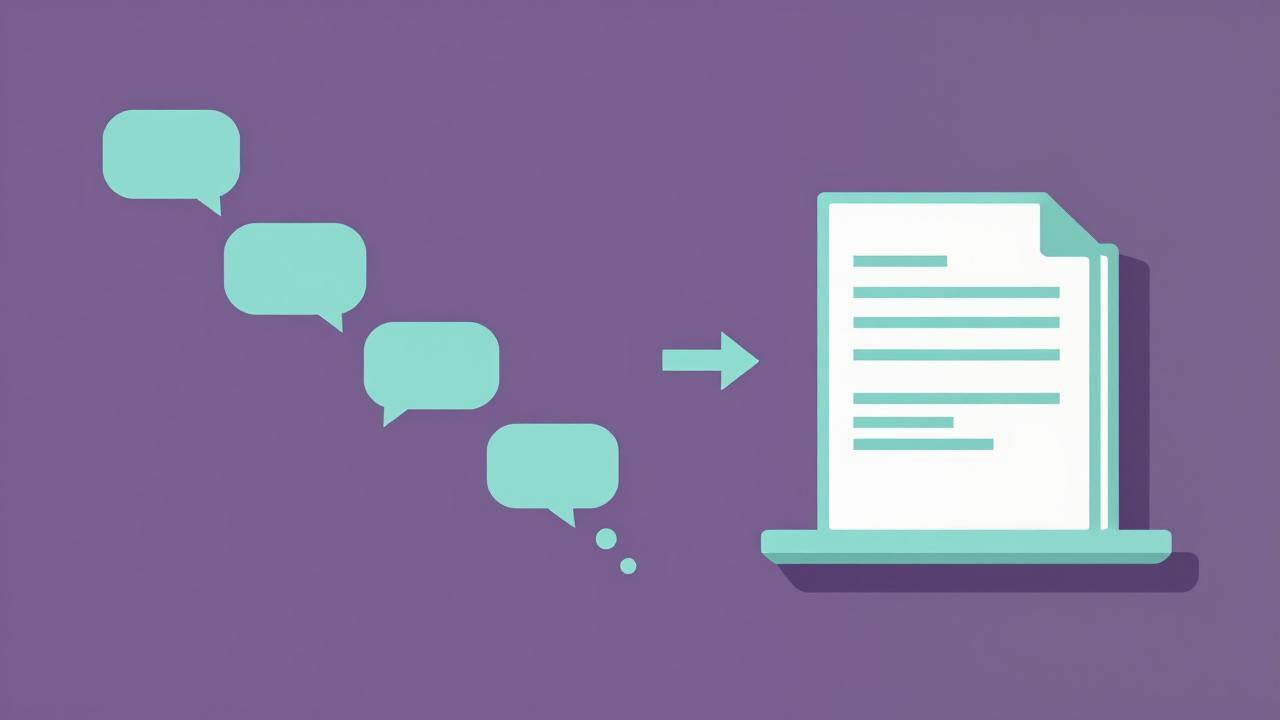
AI proposes a command → I paste it into the terminal → I paste the output into the chat → the AI corrects itself

Three rules, learned by making mistakes.

Paste the output word for word, even when it fails. The stubbornest bug of the day — a download dying with a laconic exit code 1 — got unstuck only by pasting the complete logs: the cause was in the traceback, ten turns away. Ten turns spent guessing around an error that was already written down, black on white.

Commands that say whether they worked. For code changes, the AI wrote small scripts that refuse to touch a file unless they find the exact portion of text to replace: either the file is the expected one, or the script stops with a clear error. No modifications that fail silently when they fail. If a control command says nothing, the work isn't finished.

One step per turn. Never five commands at once, or you won't know which output corresponds to which action. Once I pasted text and commands together and bash replied syntax error near unexpected token — harmless, but instructive. The terminal is not a chat.

Screenshots: the two-way channel

When the problem is in the interface, the terminal hits its limit: you need screenshots. And the channel really is two-way — I would send UI screenshots and the AI noticed details I couldn't see: faded rows, disabled elements, a “12 issues” badge in the console.

But even screenshots aren't infallible. We suspected incomplete HTML because in the browser's inspector the DOM nodes appeared collapsed (the classic ▶ hiding the children). A cat of the file cleared everything up: it was all there. You need the right kind of evidence for the right kind of question.

Markdown as the lingua franca

All the documentation — specification, README, bootstrap scripts — is in Markdown because it worked in three roles simultaneously: readable document for the human, structured input for the AI, persistent artifact in the repository. One format, zero translations.

Hence the golden rule: when an exchange in chat produces a decision, that decision must be consolidated into a file. The chat is volatile, the file is memory. A fresh session with the right files beats an old semi-compacted session. Every time. And writing the specification before the code forces you to decide before you build.

The specification as a contract

For the specification we used OpenSpec: a propose → review → apply → verify → archive flow, requirements as WHEN/THEN scenarios, a tasks.md as a living checklist.

I have to tell one episode. The AI, asked about OpenSpec, at first made it up: a plausible but imaginary framework. I noticed, looked up the official documentation, and gave it the links. It re-read the sources and rewrote the entire documentation package according to the real framework. The moral isn't “AIs hallucinate” — it's operational: verify the sources even when talking to an AI, especially when it speaks with confidence.

The important part is the human checkpoints: the AI never moves on to the next phase without my explicit okay. Decisions to the human, execution to the AI. And the specification works as an anti-feature-creep frame: every scope question (“what about videos?”) got the answer “out of scope, that'll be another change”. That's how a small project stays small.

Bug fixing as a conversation

The lifecycle of every bug: symptom reported in full (complete logs, not interpretation), a hypothesis declared as such (“I suspect X, let's verify with Y” ≠ “it's X, solved”), diagnosis backed by evidence, surgical fix and retry. Of the AI's mistakes, one deserves a note: it had itself generated a bug in a module; re-reading its own code, it noticed, recreated it clean, and told me openly.

The episode that defines the day is another one, and I'm the protagonist.

Three patches in a row, three failures. The download stayed broken, and the AI kept proposing corrections. At some point I stopped: it's patching code that doesn't match the real one. Compaction — long chats get summarized, and the fine details get lost — had eaten its overview of the codebase. It was patching imaginary code.

I wrote something like: “maybe you should re-read the code, compaction may have made you lose context.” That was exactly it. Re-reading the real code, and the solution came.

This problem is a direct consequence of the absence of APIs: an agent with access would read the file on every change. Without APIs, the freshness of the context is a shared responsibility — the AI can't notice that its map has stopped matching the territory. Someone has to tell it. After three failed patches: stop and ask it to re-read the real code, not the fourth blind patch.

Compaction: survival strategies

Compaction is the normal behavior of long chats: old messages get summarized, fine details get lost. We went through more than three. I learned to recognize the signs of degradation: the AI starts guessing code patterns, proposes fixes for code that doesn't exist, repeats suggestions already tried.

On the left, the degraded, faded context; on the right, the same rebuilt sharp by the full dump

Four strategies worked.

  1. Document while you work. The system design, written in Markdown at the start of the session, survived three compactions. The details didn't, the structure did.
  2. The full dump. When remote patching stopped working, I created a single file with ALL the project's code — a bash script with a loop of docker exec ... cat, plus DB state and archive — and uploaded it into the chat. Cost: two minutes. Benefit: the AI stops guessing. The cheapest context reset there is.
  3. Verify the memory. Ask “what do you remember about X?” and compare with reality. If it diverges, give the file again — don't correct it in words.
  4. Start over from the file, not from the chat.

Everything else — the backup before the risky touch (cp file file.bak), the output pasted in full — is the same idea at the scale of a single turn: give the AI fresh data instead of letting it reason on stale data.

The human as the hands

The complete operating model: I provide the eyes, judgment, and terminal-pasting; the AI provides technical memory and generation. But I'm not a passive executor: I verified, rejected, corrected, decided scope and cuts.

And the bottleneck was never the AI's speed: it's the quality of the feedback I reported back to it. A complete log pasted right away is worth ten turns of descriptions.

The canvas: when the chat stops being the only surface

Something happened right in the middle of the session: suddenly, the AI started publishing long-form content in a side panel — a canvas. The feature had just been activated by the platform, and we found ourselves in it without noticing.

And it was a turning point. Before, every long document had to be printed in the chat and copied by hand, line by line: it worked, it was laborious, and it was the point where the method frayed. With the canvas, long content becomes a first-class object: you view it whole, you revise it, you export it.

  • Separation between conversation and artifact. The chat remains a volatile laboratory — you try, you correct, you discard. The canvas holds the good versions: the materialization of “chat is for working, the file is for remembering”.
  • Artifacts have a lifecycle. The OpenSpec specification was rewritten three times in the same canvas. The artifact evolves, the chat flows underneath.
  • The mockup gets clicked. For the UI we didn't discuss in words: the AI created an interactive HTML mockup — a five-step wizard, with error states and a design system. I clicked through it and gave feedback on the real flow. UX validated before a single line of code.
  • Artifacts travel. The markdown-seed of this session — from which this very post was born — is the natural extension: the canvas as the origin of subsequent chains of work.

Without the canvas, all long-form content lives in the chat and dies with compaction. With the canvas, it persists. It turns brainstorming into process: the difference between talking about an idea and having a version of it.

Why it works

The thesis: structure makes error cheap. The fully pasted output makes the error visible immediately; scripts with built-in checks make the wrong modification fail loudly; the human checkpoint stops the scope error while it's still cheap; the dump restores context while it still costs two minutes.

And there's the rubber-duck effect: explaining the problem to the AI — or pasting it the log, which is explaining with facts — is half the diagnostic work. More than once, while composing the bug description, I figured out where it was on my own.

With APIs, an agent with direct access would make much of this method unnecessary. You'd go faster and more comfortably. But there's one thing working without APIs leaves you with that automation doesn't give: the working dynamics with the AI become visible. You see where the context degrades, you see when it starts guessing, you see which information makes it fail and which gets it back on track. Understanding it is the prerequisite for using it well: I'm coming out of this day not only with a working system, but knowing exactly what it means to give it good information.

Because the warning stays valid even at maximum automation: APIs take away the fatigue of copy-pasting, not the responsibility for the quality of the information the AI works with. That one, better never fully delegate.


“Free technology isn't just code — it's the freedom to look under the hood.”

👤 Lorenzo | ItsMeLarry 🧪 AI & Open Source Experiments | 🕹️ Retro Gaming & Graphic Novels 🎸 Rock, Folk, Jazz, Punk | 🔒 Privacy First 📍 Tuscany / Digital

🔗 noblogo.org/itsmelarry-en | 🐙 Codeberg

Yesterday morning I woke up and minimonio was gone. Not in the physical sense: in the sense that it powered on, gave me a dirty look, and dropped me in front of the BIOS screen, refusing to boot Ubuntu. It had crashed during the night, period. The NVMe drive was still there, the BIOS could see it, but the bootloader was nowhere to be found.

I had built a small agent on it that returned system info. Reinstalling everything from scratch turned out to be faster than playing GRUB surgeon in my pajamas before coffee. So last night minimonio restarted from a fresh install of Ubuntu Server, and I thought: since I have to rebuild, let's do it properly.

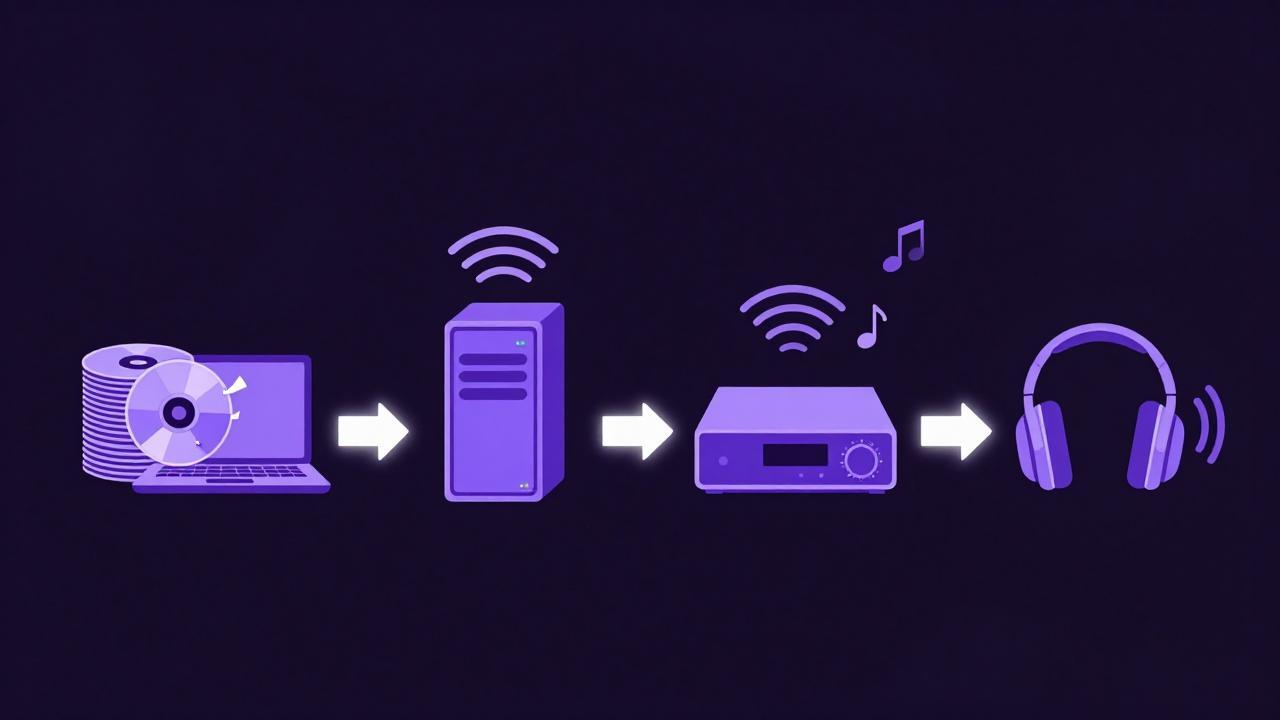
Goal for the evening: turn a mini-PC bought used for 50 euros (Celeron N5095, 7GB of RAM, one TB of disk) into a media server to listen to my ripped CDs — Oasis, Pink Floyd, and so on and so forth — without firing up the laptop every time. Final chain: minimonio → UPnP → WiiM Ultra → Bluetooth headphones.

I went to bed at one in the morning with The Wall in my ears. An honest account of how I got there, mistakes included.

Many mistakes, much fun.

€50 media center

The cast of the home network

minimonio isn't alone: other nodes live in the house.

  • tuxedo: my personal laptop, where music syncing starts from.
  • geekmonio: the powerful machine, with Ollama for local inference.
  • thinkmonio: an old edge node.

Heterogeneous hardware, different roles, and a single conversation with the AI running through all of them. Tonight, though, the star is the €50 Celeron.

The architectural choices

Philosophy: small services, isolated containers, everything that survives reboots. The glue is Docker.

  • Navidrome: Subsonic-compatible music server, extremely lightweight.
  • Heimdall: dashboard to keep everything one tile away.
  • Gerbera: DLNA/UPnP server, to let the server talk to the Smart TV and the WiiM Ultra.
  • Samba: for direct file access.

All with restart: unless-stopped, because after a server that dies in its sleep, you don't joke about uptime anymore.

The library comes from tuxedo via rsync over SSH, launched inside tmux — never trust a Wi-Fi connection with a terabyte of music.

The evening, however, didn't go according to plan. The evening went better.

The stumbles: the honest heart of this post

If I had followed a tutorial, everything would have been linear. Instead it was an obstacle course. Which is exactly why I'm writing this post.

The package that doesn't exist

First obstacle, almost immediately: installing Docker Compose.

sudo apt install -y docker.io docker-compose-plugin
Error: Unable to locate package docker-compose-plugin

The suggestion came from the AI, the name was plausible, the terminal was telling the truth: on Ubuntu the package is called docker-compose-v2. First lesson of the evening, and the AI learned it too:

sudo apt install -y docker.io docker-compose-v2

The container started, died, restarted, died. docker compose ps showed Restarting (1) in a loop, and in the logs always the same message:

level=fatal msg="Database could not be opened!" error="unable to open database file: no such file or directory"

Cause: the host folder mounted as /data either didn't exist or wasn't writable by the user 1000:1000 that Navidrome runs as. Containers aren't magic: a bind mount is just a folder, and permissions are permissions.

mkdir -p ~/docker/navidrome ~/media/music
sudo chown -R 1000:1000 ~/docker/navidrome ~/media/music
docker compose up -d

From then on, Navidrome stopped crying.

Side note for anyone finding themselves in the same mess: with Compose v2 the container name is prefixed by the project folder (lorenzo-navidrome-1, not navidrome), so docker logs navidrome answers with No such container. Either you use the full name, or docker compose logs navidrome.

Gerbera's dancing port

At first launch, Gerbera's web UI had ended up on a semi-random port (49494). It looked stable, but I didn't want to play “guess the port” at every reinstall — and given how the previous night had gone, reinstalls weren't an unlikely event. I changed the port in the config with sed and pinned it there forever. An observation, not documented certainty: I ran into this behavior at first launch, and that alone was enough to convince me to write the port into the config by hand.

Same family of problem, different father: nano reported config.xml as unwritable. The file had been created by the process inside the container, which runs as root:

sudo chown -R 1000:1000 ~/docker/gerbera

Gerbera doesn't even have a default icon in the Heimdall library, so I added the tile by hand. Small things, but they're what makes the difference between “unattended” and “let's go check”.

The bash bug in the sync script

The highlight. The sync_music.sh script got stuck with a cryptic error:

Empty source arg specified.
rsync error: syntax or usage error (code 1) at main.c(1526) [sender=3.2.7]

Culprit: an empty "$DRY_RUN" variable, passing an empty string to rsync as an argument — and rsync interpreted it as a missing source. Fix: turn it into an array, which expands to zero arguments when empty, as God intended.

DRY_RUN=()
[[ "${1:-}" == "-n" ]] && DRY_RUN=(--dry-run)
# ...
rsync "${RSYNC_OPTS[@]}" "${DRY_RUN[@]}" "$SRC" ...

Second round, right after:

./sync_music.sh: line 47: DRY_RUN: unbound variable

With set -u active, the test [[ -n "$DRY_RUN" ]] uses the scalar form of the array which, when empty, counts as unbound. The length had to be tested instead:

[[ ${#DRY_RUN[@]} -gt 0 ]]

Bash has a sneaky type system. I applied the same two corrected lines with sed, because at that hour of the night rewriting by hand was asking too much.

“Pink Floid” and the ghost album

During the sync I discovered that a folder christened “Pink Floid” — original typo, years of honorable service — lives on two machines and only got fixed on one. And the ghost album: “The Division Bell” exists only on the server.

Neither is a bug. It's the logical consequence of an rsync without --delete: it copies new files but never deletes anything, so it's not a mirror. In the final version of the script --delete is there, but that night it wasn't — and the ghost “Be Here Now” is living proof. Double moral: if you want a true mirror, tell rsync so; and for music, ID3 tags are what count, not folder names.

The false errors

Bonus of the evening, the errors that weren't errors:

  • Navidrome answered HTTP 302: a redirect to the login page, which is the correct response from curl without a session.
  • docker ps showed no ports for Gerbera: normal with network_mode: host, the container uses the machine's interfaces directly.
  • A WARN about the obsolete version: line in the compose file: just a warning, modern compose files don't need it anymore.

Learning to tell a real error from an apparent one is half the craft.

The moment of glory

Final test: full server reboot. A simulated blackout, so to speak. Ritual-grade checklist with docker ps and curl:

  • Navidrome: Up, HTTP 302 (redirect to login, all in order).
  • Heimdall: Up, HTTP 200.
  • Gerbera: Up, HTTP 200.

Three containers up, three healthy responses. Fully unattended: blackouts, reboots, updates — after the night of the BIOS, I've earned this minimum of dignity.

At one in the morning I was in bed with The Wall in my headphones, via WiiM, without the laptop ever having been switched on. The €50 Celeron had earned it.

From CD to my ears

Reflections on working with the AI

The evening was an experiment in pair-sysadmining: the AI proposed, I executed, the terminal arbitrated. When the AI suggested a wrong package name, the terminal exposed it in a second. The AI's mistakes aren't a problem if the feedback loop is tight.

There's a difference between a tutorial and a real session: the tutorial shows the ideal path, the real session is an obstacle course. Both teach you something, but only the second one teaches you how to diagnose. And diagnosing — asking yourself “does it change across reboots?”, telling a 302 from a 500, understanding why an empty variable explodes — is the part that stays with you.

Good music, and goodnight from here too.


Transparency note: the AI in the “pair-sysadmining” told above is called Lumo, and it's Proton's assistant — the same folks behind encrypted email. I'm liking it: besides giving me wrong suggestions about package names (and taking them bounced back from the terminal with good sportsmanship), it has a newly released canvas feature that turned writing this post into a side-by-side job — notes, drafts, and live revisions, while the music kept playing from the containers. If you want to try it, here's my referral link, and if you made it all the way down here reading, you also deserve the 10-euro discount that comes with my link.

docker-compose.yml

services:
  navidrome:
    image: deluan/navidrome:latest
    user: 1000:1000
    ports:
      - "4533:4533"
    volumes:
      - /home/lorenzo/media/music:/music
      - /home/lorenzo/docker/navidrome:/data
    environment:
      - ND_LOGLEVEL=info
      - ND_SCANSCHEDULE=1h
      - ND_SESSIONTIMEOUT=168h
    restart: unless-stopped

  heimdall:
    image: linuxserver/heimdall
    ports:
      - "8080:80"
    volumes:
      - /home/lorenzo/docker/heimdall:/config
    restart: unless-stopped

  gerbera:
    image: gerbera/gerbera
    container_name: gerbera
    network_mode: host
    volumes:
      - /home/lorenzo/media/music:/content:ro
      - /home/lorenzo/docker/gerbera/config:/var/run/gerbera
    restart: unless-stopped

sync_music.sh

#!/bin/bash
# sync_music.sh — Sync music from Tuxedo to Minimonio (one-way, rsync via SSH)
# Usage: ./sync_music.sh [-n]
#   -n : dry-run (shows what it would do without copying anything)

set -euo pipefail

# ---------- CONFIGURATION ----------
SRC="/home/lorenzo/Musica/"          # Source folder on Tuxedo (NOTE the trailing slash!)
DST_USER="lorenzo"
DST_HOST="192.168.1.201"             # minimonio's IP
DST_PATH="media/music/"              # Destination, relative to home on minimonio
LOG_DIR="$HOME/logs"
LOG_FILE="$LOG_DIR/sync_music_$(date +%Y%m%d_%H%M%S).log"
KEEP_LOGS=10                          # Number of old logs to keep
LOCKFILE="/tmp/sync_music.lock"
# ------------------------------------

DRY_RUN=()
[[ "${1:-}" == "-n" ]] && DRY_RUN=(--dry-run)

# --- Duplicate-run protection ---
if [[ -f "$LOCKFILE" ]] && kill -0 "$(cat "$LOCKFILE")" 2>/dev/null; then
    echo "❌ Another sync is already running (PID $(cat "$LOCKFILE")). Exiting."
    exit 1
fi
echo $$ > "$LOCKFILE"
trap 'rm -f "$LOCKFILE"' EXIT

mkdir -p "$LOG_DIR"

# --- Source check ---
if [[ ! -d "$SRC" ]]; then
    echo "❌ Source folder $SRC not found. Edit SRC in the script."
    exit 1
fi

MP3_COUNT=$(find "$SRC" -type f \( -iname '*.mp3' -o -iname '*.flac' -o -iname '*.m4a' \) | wc -l)
if [[ "$MP3_COUNT" -eq 0 ]]; then
    echo "⚠️  No music files found in $SRC — checking before continuing."
    read -rp "Proceed anyway? [y/N] " ans
    [[ "$ans" == "y" ]] || exit 0
fi

echo "🎵 Music sync: $SRC -> $DST_USER@$DST_HOST:$DST_PATH"
echo "   Music files in source: $MP3_COUNT"
[[ ${#DRY_RUN[@]} -gt 0 ]] && echo "   (DRY-RUN: no files will actually be copied)"
echo ""

# --- Reachability ---
if ! ping -c1 -W2 "$DST_HOST" > /dev/null 2>&1; then
    echo "❌ $DST_HOST unreachable. Check the network."
    exit 1
fi

# --- Synchronization ---
#  -a  preserves permissions, dates, structure
#  -v  verbose
#  -h  human-readable sizes
#  --delete  deletes on destination what was removed from source (true mirror)
#  --info=progress2  overall progress bar
#  --exclude  skips temporary and hidden files
RSYNC_OPTS=(-avh --info=progress2 --stats
            --exclude='.*' --exclude='Thumbs.db' --exclude='desktop.ini'
            --exclude='*.tmp')

echo "   Note: mirroring ACTIVE (--delete). Comment it out to keep removed files."
echo ""

rsync "${RSYNC_OPTS[@]}" "${DRY_RUN[@]}" "$SRC" "$DST_USER@$DST_HOST:$DST_PATH" 2>&1 | tee "$LOG_FILE"

# --- Old log cleanup ---
ls -1t "$LOG_DIR"/sync_music_*.log 2>/dev/null | tail -n +"$((KEEP_LOGS + 1))" | xargs -r rm --

echo ""
echo "✅ Sync completed. Log: $LOG_FILE"

# --- Tip ---
if [[ ${#DRY_RUN[@]} -eq 0 ]]; then
    echo "ℹ️  Navidrome re-scans the library within 1 hour (ND_SCANSCHEDULE=1h)."
    echo "   To force the scan now: open http://$DST_HOST:4533 and go to ⚙ → Scan Library."
fi

“Free technology isn't just code — it's the freedom to look under the hood.”

👤 Lorenzo | ItsMeLarry 🧪 AI & Open Source Experiments | 🕹️ Retro Gaming & Graphic Novels 🎸 Rock, Folk, Jazz, Punk | 🔒 Privacy First 📍 Tuscany / Digital

🔗 noblogo.org/itsmelarry-en | 🐙 Codeberg

A ship's log from the home lab, between mini PCs, laptops, and LLMs talking to each other to ask what the weather is like in my backyard.

There are projects born out of necessity and projects born out of curiosity. This one was born from both, with a pinch of wanting to have fun while pushing a few limits.

Disclaimer

I am not a developer, nor a sysadmin. Everything you will read on this blog, I did by asking the AI how to proceed, managing feedback and work with the help of models — in particular Lumo by Proton, which I appreciate because it's an assistant that works very well, costs little, and above all minds its own business. Which, unfortunately, is rare in the digital industry.

Today I can say the first brick is laid. It's not elegant, but it holds.

How the network is made

The underlying idea is simple: four machines, individually nothing special, but networked together they become something more interesting than their simple sum.

Geekmonio is the brain. A mini PC with an Intel Core Ultra 9, integrated Arc GPU, and 32 GB of RAM. It's not a datacenter monster, but it has one precious feature: a dedicated NPU and a GPU that, with the right drivers, lends itself to inference acceleration. It hosts Ollama and the web interface, and it's where the heavy lifting happens. I installed Ubuntu Server without a graphical interface to keep RAM consumption to a minimum.

Tuxedo is my laptop with TuxedoOS (Ubuntu-based), the workbench. An AMD Ryzen 7 with Radeon 780M, running VS Code. Local models via Ollama and LM Studio, but most importantly it queries Geekmonio over the LAN as if it were a cloud service. Light editor, remote brain.

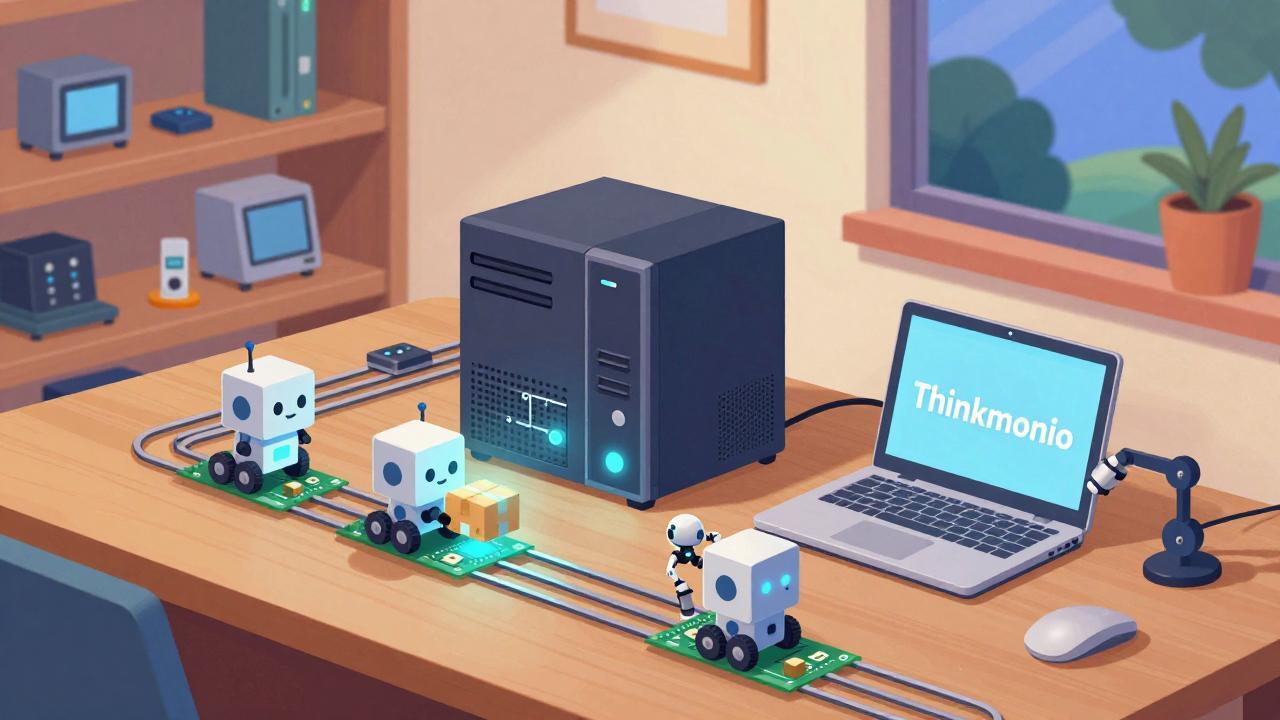
Thinkmonio and Minimonio are the worker arms. More modest machines, bought used on Subito.it for 50 euros each, destined for different tasks: collecting data, acting as a bridge to sensors, hosting lightweight agents that don't require local inference. They will be the nodes that, in the not-too-distant future, will do “things” — measure, record, react — on which to build the agents orchestrated by Geekmonio's models.

Home datacenter

What actually runs on it

Three models, chosen with care after several attempts and a few dead ends:

Qwen2.5-Coder 7B Use: programming and autocompletion Why: precise on code, fast enough to suggest while you write

Mistral Nemo 12B Use: chat and reasoning Why: huge context, handles Italian well

Llama 3.2 3B Use: quick tasks Why: for things where latency matters more than depth.

All three live on Geekmonio, served via local API. VS Code on Tuxedo reaches them through Continue, the web interface exposes them as a chat, and the smaller nodes query them when needed.

I set up all these configurations with AI assistance, following its instructions. It will be fun to see whether they prove valid or not — this uncertainty is what intrigues me most and pushes me to keep going.

The part that really interests me

The technical setup is secondary. The interesting part is the economic logic behind it.

It would be easier to swipe the card and pay for a “pro” subscription. That's fine for asking for a tomato pasta recipe. But when you start using AI to actually make things, for what it's truly revolutionary for, tokens start flowing and remote models — the smart ones, hosted on servers with tons of RAM and NVIDIA chipsets — end up costing a lot, and I mean a lot.

There is no will to make them accessible on the market's part. The AI industry, led by 4-5 companies, in its pursuit of AGI is pushing toward a monopoly situation where citizens' AI experience will always be mediated by the need for a technological intermediary, with all the ensuing economic, social, and political consequences. The rising price of consumer RAM is just one piece of a worrying puzzle.

My idea is to have an AI I fully control:

  • Online assistants like Lumo (I'm eagerly awaiting the APIs) and Leo AI (with no privacy policy) for support: clear policies, great for writing configuration scripts or summarizing complex logs
  • Local models for reasoning, code production, and orchestration
  • Paid remote models (like Mistral AI) when all of this isn't enough

Choosing what to use, where, and when, while keeping control over data privacy: that's what I want to find out is possible.

That's what the local network is for: absorbing low-value tasks. Repetitive work, small reasoning, drafts, routine questions. Everything that doesn't deserve a frontier model's attention gets handled at home, for free, offline, without burning credits.

Remote models thus become what they should be: a scarce resource to use when it really counts. Difficult decisions, new problems, things that require true intelligence.

What's still missing

I'd be dishonest if I said everything is fine. Autocompletion is sometimes slow, configuring Continue gave me more trouble than expected (in the end I had Copilot solve it), and the integrated GPU has limits you can feel when the context grows long.

But the structure is there. The pieces communicate. The system holds. Performance needs polishing, and that can only be done by using it.

Where this all leads

The final goal is not to have a chatbot at home. It's to build an infrastructure that knows how to route the work: trivial tasks locally, important ones remotely, autonomous agents for the things nobody wants to do by hand.

It's an experiment, in the most honest sense of the term. I don't yet know if it will work the way I imagine. But the first step is taken, and this time the terminal didn't throw errors back at me.

Next chapter

Building a software factory that produces the software agents I need. I want to be able to build myself the infrastructure I'll use at home, so the next chapter will be creating a first agent to install on Thinkmonio.


“Free technology isn't just code — it's the freedom to look under the hood.”

👤 Lorenzo | ItsMeLarry 🧪 AI & Open Source Experiments | 🕹️ Retro Gaming & Graphic Novels 🎸 Rock, Folk, Jazz, Punk | 🔒 Privacy First 📍 Tuscany / Digital

🔗 noblogo.org/itsmelarry-en | 🐙 Codeberg

I always thought Artificial Intelligence was something far away, hosted in huge data centers, accessible only through the cloud and expensive subscriptions. But what would happen if we could bring it home? If we could turn old computers into a network of intelligent “agents” that work together, in total privacy and without depending on external servers?

This is not a technical tutorial for engineers. It is the chronicle of a practical experiment: how I turned three old PCs into an intelligent weather and lifestyle system, capable of analyzing my garden and telling me when to exercise, when to rest, and when to enjoy an aperitivo.

And the most surprising part? I didn't write a single line of code.

The Idea: A Proof of Concept for the Future

The goal was clear: to create a Proof of Concept (PoC) of a decentralized architecture. I wanted to demonstrate that it is possible to:

Reuse existing hardware: Turn mini-PCs and old desktops into nodes of an intelligent network. Leverage AI as a co-pilot: Use artificial intelligence to write the code, solve errors, and manage the technical complexity. Maintain data sovereignty: Run everything locally, without sending sensitive information to third parties.

The result is a system that collects data from a real weather station, processes it with a local language model (Ollama), and returns contextualized advice about my specific garden.

The Architecture: Three Nodes, One Brain

I selected three very different devices to test the resilience of the system:

Minimonio: A cheap mini-PC (Intel Celeron, 7GB RAM). The “sensor” node, lightweight and low-power. Thinkmonio: A small desktop (Intel i3, 15GB RAM). The main “agent” node, responsible for the web interface and orchestration. Tuxedo: A powerful laptop (AMD Ryzen, 31GB RAM). The “brain” node, where the local AI model runs.

Each node runs Docker, ensuring the software is isolated and portable. It doesn't matter how old or new the hardware is: the container works the same way everywhere.

The Process: Iteration and Adaptation

The path was not linear. It was a continuous cycle of “try, fail, fix”, guided by dialogue with the AI.

Phase 1: Infrastructure Stabilization

The first obstacle was getting the base nodes to work. Minimonio would shut itself down to save power. The solution? Disable the kernel suspend settings and force the CPU to run in performance mode. A seemingly trivial problem that would have blocked the entire system.

Phase 2: Communication Between Nodes

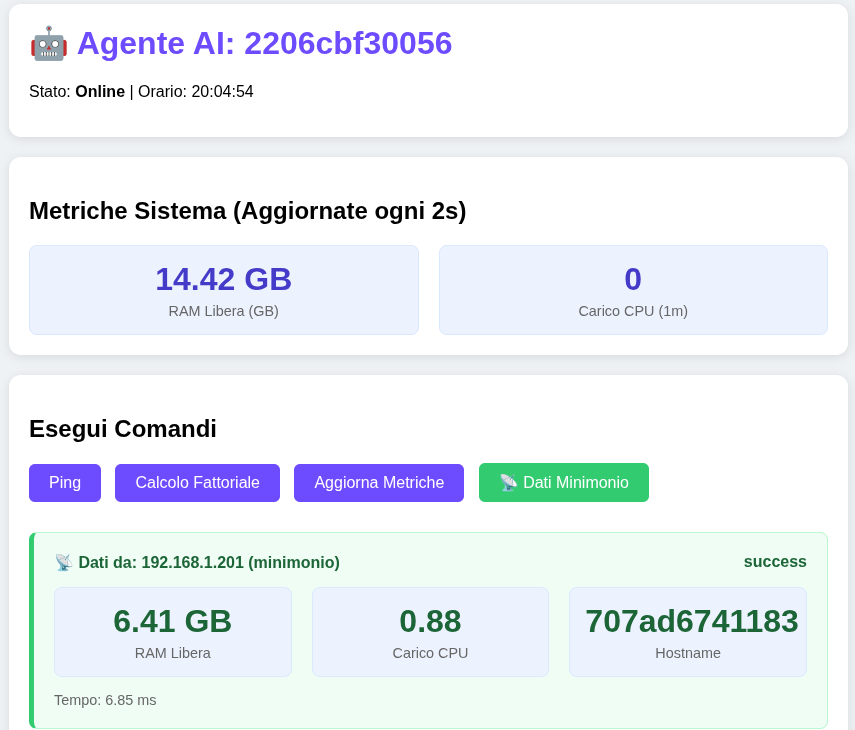
Once stable, I had to make them talk to each other. I created a simple REST API (using FastAPI) that allows thinkmonio to query minimonio for its system metrics. The result? A web dashboard showing the health status of both computers in real time.

Phase 3: Weather Data Integration

Here the “real” part comes into play. I connected my Raddy WF-100C weather station (which publishes to Weather Underground) to the system. Thinkmonio now downloads current data (temperature, humidity, wind) and forecasts from the Open-Meteo APIs.

Phase 4: Local Intelligence (Ollama)

The decisive step was adding the “brain”. Instead of using cloud services like Groq or ChatGPT, I installed Ollama on tuxedo with the llama3.2 model. I created a structured prompt that provides the AI with:

Current weather data. A detailed map of my garden (Zones A-E, with specific features like the turtle Camilla's terrarium). The task: “Analyze the data and give me practical advice on activities, zoning, and timing.”

The system now responds with personalized advice: “Avoid the lawn (Zone B) due to high humidity, but Zone A is perfect for morning exercise.”

DIY Weather

The Ethical Choice: Privacy by Design

There is a fundamental detail that is often overlooked in these experiments: where is my data processed?

I was handling information about my home, my GPS position, and family habits. I couldn't allow this data to end up in the training datasets of big corporations. For this reason, I chose to use Lumo (by Proton) to design the architecture and Ollama for local execution.

Lumo: It allowed me to discuss the project and generate the code in an end-to-end encrypted environment. No one, not even Proton, can read my conversations. Ollama: Runs the AI model directly on my hardware. The weather data and the garden description never leave my home network.

Building a decentralized system requires tools that respect data sovereignty from the very first step.

Try it and start your journey of discovery: https://pr.tn/ref/31BCQE3B

The Result: A Garden That Talks

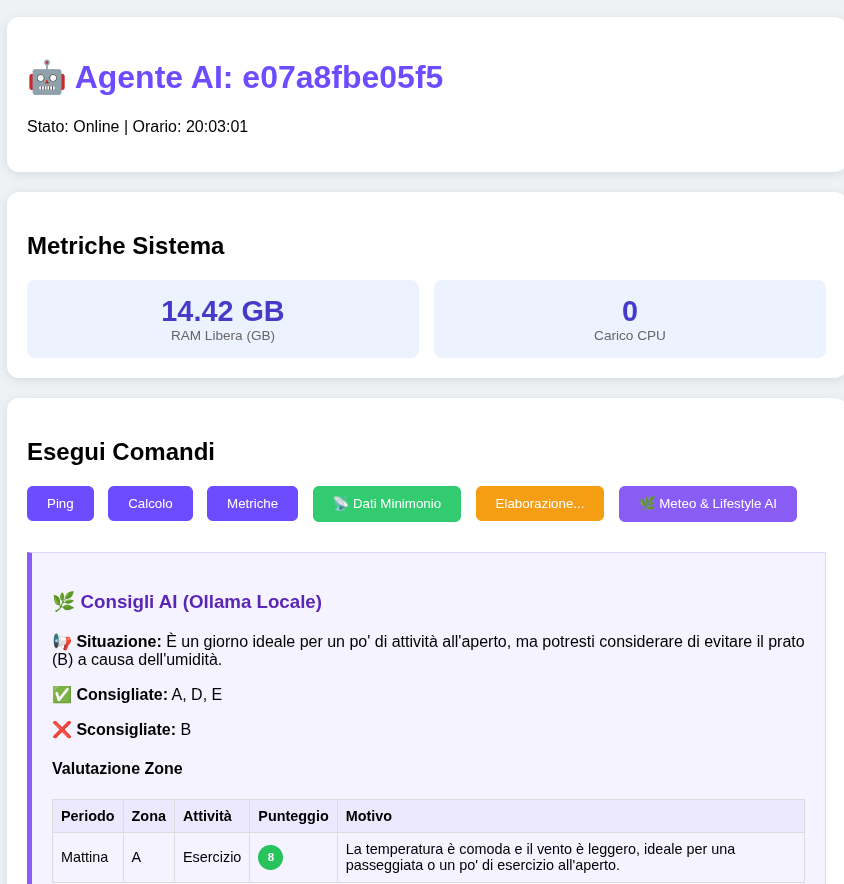
Today, opening the dashboard in my browser, I see not just numbers, but contextual advice. I click a button and the AI tells me:

Situation: “It's an ideal day for outdoor activities, but avoid the lawn because of the humidity.” Recommended Activities: Zone A (Parking), Zone D (Pool), Zone E (Barbecue). Assessment: A score from 1 to 10 for each zone and activity (exercise, nap, aperitivo).

It's not magic. It is the result of an iterative process, solved errors, reused hardware, and a conscious choice for privacy.

Conclusion: The Beginning of Something Bigger

This experiment demonstrates that the AI of the future won't live only in centralized clouds. It will be distributed, everywhere, on our own devices.

Resilience: If one node falls, the others keep working. Efficiency: We use existing resources instead of buying new ones. Accessibility: Anyone with a bit of curiosity and an old PC can start building their own intelligent infrastructure.

Technology is not magic. It is a process of attempts, errors, and adaptations. And sometimes, an old mini-PC and a bit of patience are enough to create something extraordinary.

If you want to try to replicate this experiment or have questions about the process, write to me on Mastodon https://mastodon.uno/@itsmelarry

The road is long, but what matters is moving forward — even sitting down!


“Free technology isn't just code — it's the freedom to look under the hood.”

👤 Lorenzo | ItsMeLarry 🧪 AI & Open Source Experiments | 🕹️ Retro Gaming & Graphic Novels 🎸 Rock, Folk, Jazz, Punk | 🔒 Privacy First 📍 Tuscany / Digital

🔗 noblogo.org/itsmelarry-en | 🐙 Codeberg

We often hear about Artificial Intelligence as an external force, something enormous that arrives from afar and changes the rules of the game. But what happens if we try to bring it home, right here, into our own house? And what if we tried to understand it not by studying theory books, but by building something concrete with our own hands?

This post is not a technical tutorial. It is the chronicle of an experiment. A Proof of Concept born from the simple curiosity of understanding how AI really works when it stops being a “chatbot” and becomes a practical operator.

Why did I do this experiment?

I wanted to understand two fundamental things:

Does hardware still matter? In an era of infinite cloud, can we still do useful things with old computers lying in a drawer? Can we “talk” to technology without knowing how to program? If AI is truly the future, it should be accessible to everyone, not just software engineers.

The idea was to turn three heterogeneous devices (two cheap mini-PCs and a laptop) into a network of autonomous agents. I didn't just want to switch them on — I wanted them to talk to each other, monitor each other, and work together. The ultimate goal is to study how AI can manage physical infrastructure in a decentralized way, without depending on distant centralized servers.

The Method: I think, the AI writes

Here comes the most fascinating part. I am not a programmer. I can't write Python code, I don't know Docker by heart, and I don't know how to configure Linux servers.

All the code you'll find in this project, all the configurations, the troubleshooting, and the creation of the graphical dashboard were generated by the AI. My role was that of architect and orchestra conductor:

I defined the goal: “I want these PCs to exchange data and show it to me on a web page.” I described the problem: “The system crashes, I get this error.” The AI translated these requests into working code.

It was an iterative process of trial and error. There were moments of frustration: black screens, containers shutting down on their own, memory errors that seemed insurmountable. But every time, instead of giving up, I used the AI as a technical mentor, asking: “Why did this happen? How do we fix it?” And it answered, explaining the concept behind the error and providing the solution.

This way, I learned to build complex infrastructure without ever manually touching a single line of code. I realized that the value lies not in memorizing syntax, but in knowing what to ask and how to guide the tool.

Agent Dashboard

The Privacy Choice: Why Lumo and Proton

There is a fundamental detail that is often overlooked in these experiments: where does the conversation take place?

I was asking the AI to write code for my home network, to configure servers, and to handle sensitive data. I couldn't allow this information to end up in the training datasets of big corporations or be read by third parties.

For this reason, I chose to use Lumo, the AI assistant developed by Proton.

Proton is known for its mission to protect digital privacy (with encrypted services like Mail and VPN), and Lumo brings this philosophy into the world of AI.

End-to-End Encryption: Everything we exchange is encrypted. Not even Proton can read my conversations or the code I'm generating. No Training on Your Data: My requests, the errors I pasted, and the solutions we found remain private. They are not used to train public models. Independence: Building a decentralized system requires tools that respect data sovereignty from the very first step.

Using Lumo allowed me to run this experiment with peace of mind, knowing that my work, my ideas, and my infrastructure were safe. It's the difference between building a house on rented land or on your own land.

Conclusion: The Beginning of a Journey

This experiment is just the beginning. I demonstrated that it's possible to create a distributed AI agent network using common hardware and guided by artificial intelligence, without needing traditional programming skills.

But the road is long. The next step will be making these agents not just exchange data, but make autonomous decisions based on what they observe. And I will keep doing it with the same principles: curiosity, experimentation, and above all, respect for privacy.

If you too want to start exploring this world, building your own digital infrastructure in total security, I invite you to try Lumo. It's a powerful tool that puts the user at the center, not the data.

Try it and start your journey of discovery: https://pr.tn/ref/31BCQE3B

AI is not magic. It's a tool. And like any tool, its value depends on how we use it and on who builds it alongside us.

Thank you for reading my story.


“Free technology isn't just code — it's the freedom to look under the hood.”

👤 Lorenzo | ItsMeLarry 🧪 AI & Open Source Experiments | 🕹️ Retro Gaming & Graphic Novels 🎸 Rock, Folk, Jazz, Punk | 🔒 Privacy First 📍 Tuscany / Digital

🔗 noblogo.org/itsmelarry-en | 🐙 Codeberg